WRITTEN BY DyAnne Pepper
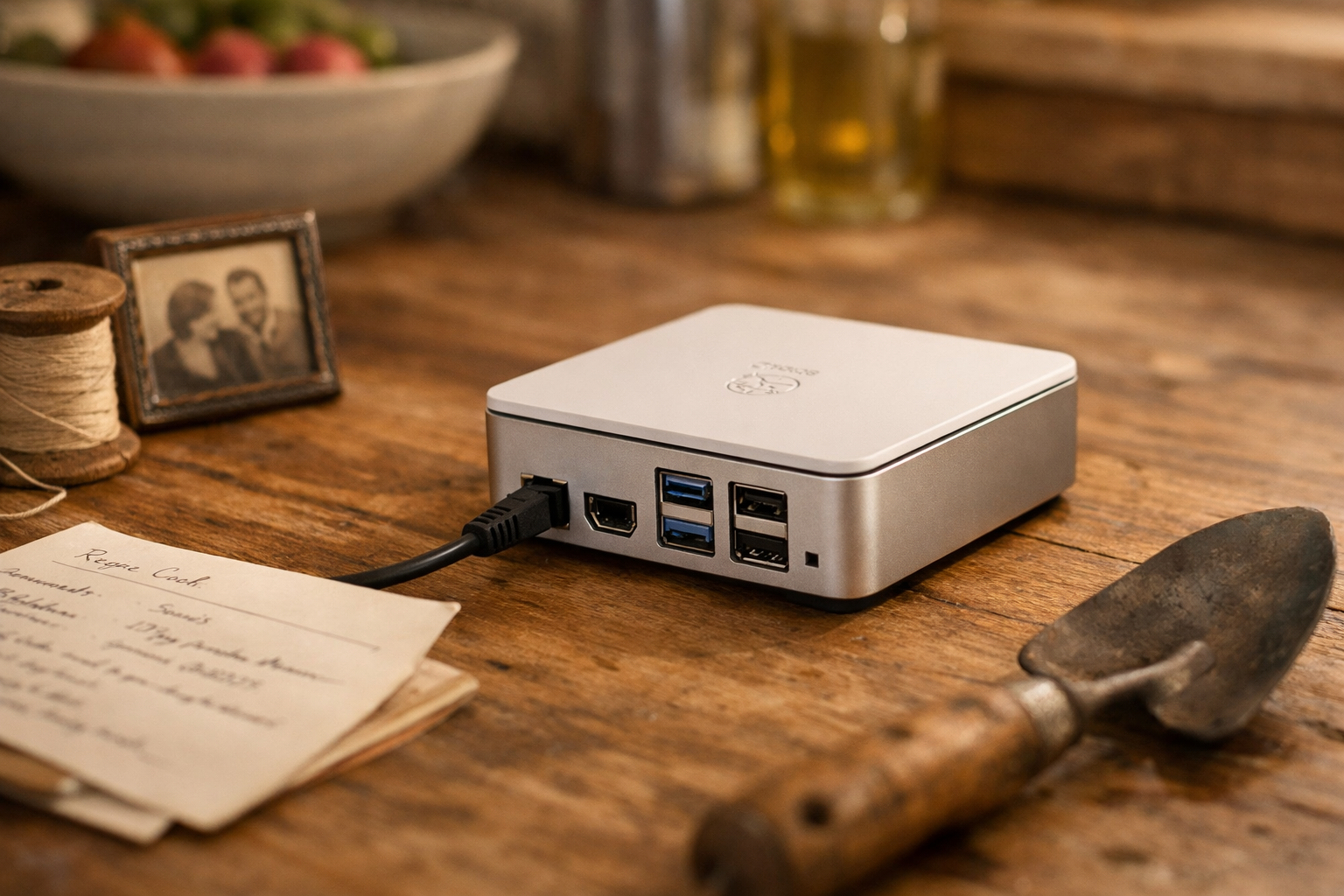
The little board, when I first plugged it in, gave off a smell. Ozone and warm plastic. It was a clean, electric smell that took me right back to my grandmother’s front room in the 1970s, to that big console television with the tube that took a full minute to glow to life. It was the smell of something waking up. Of potential humming quietly to itself. I set it right there on the kitchen counter next to the ceramic bee hive honey pot my daughter gave me—a forty-dollar computer next to a twenty-dollar metaphor. I was about to build my own raspberry pi private cloud server. Not because I’m a techie, but because I’m a homemaker. And I was tired of letting Silicon Valley landlords hold all my family’s pictures, my writing scraps, my recipes, my memories.
See, I’ve had a Facebook account for over twenty years. I mostly ignored it, the way you ignore a neighbor who talks too much but brings good gossip. I knew what it was becoming before most people did—not a town square, but a company store. Every “free” service, honey, is just an extraction engine. They’re not hosting your life; they’re mining it. And for a Black woman, for any of us thinking about legacy and future, that starts to sit wrong. It sits like a borrowed dress that you have to give back. If you control the archive, you control the future. That’s not a tech slogan; that’s an Afrofuturist principle. And my archive wasn’t going to live in a server farm in the desert anymore. It was going to live right here, in Picayune, in a little green case humming on my counter.
What You’re Really Building (And It’s Not Just a Server)
They call it a private cloud server. That sounds intimidating, like you need a degree and a lab coat. Let me tell you what it really is: it’s your Digital Library of Alexandria. But this one doesn’t burn down.
It’s a place. A place you own. For every file, every photo of your mama smiling, every half-written novella, every PDF you saved for research, every playlist that feels like a time capsule. It syncs quietly across your phone, your laptop, your tablet—just like Dropbox or Google Drive. But the vault is in your house. Not in a Silicon Valley data mine. You can start simple: just files and photos. Then, when you’re ready, you can add your calendar, your contacts, a password vault, even your own little wiki for family history. It becomes the bedrock of your digital life. The soil you own.
What You Need to Start (The Honest List)
You don’t need much. This is the beautiful part. It’s like starting a raised garden bed. 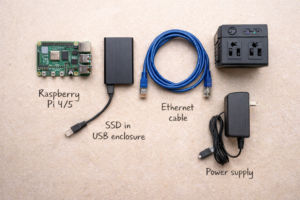
- A Raspberry Pi 4 or 5: The brain. The Pi 4 is plenty. Get the 8GB model if you can, like buying the bigger canning jar.
- A Good Power Supply: The one it comes with. Use it. Don’t try to power destiny with a phone charger.
- Storage: This is your land. A large, high-quality microSD card (256GB) will do. But an old SSD in a USB case? That’s your fertile delta. Go with the SSD.
- An Ethernet Cable: For the first setup. Plug it straight into your router. Wi-Fi is for later, for wandering. We start with roots.
- A Case: With a little fan. This little computer will work, and work makes heat. We manage it.
- The Optional, But Wise, Extras: An external hard drive for a true library of archives. And a small UPS battery backup—you know, for those Gulf Coast afternoons when the sky turns green and the power winks out. Protection for your future.
Step 1: Planting the Seed – The Operating System
You take your SSD or microSD card, and you use a free program on your computer to “flash” an operating system onto it. I used Raspberry Pi OS Lite—a minimal, text-only version. No flashy desktop. Why? Because a server is a foundation. You don’t put wallpaper in the cellar. It’s more secure and it lets all the computer’s energy go to serving you, not showing you pretty pictures.
You plug the card in, connect the Ethernet, the power, and it wakes up. You find it from your main computer using a simple program. That first login… it’s a blank screen with a blinking cursor. It feels like standing in an empty room you just bought. The first thing you do is change the default password. Then you tell it to update all its software. sudo apt update && sudo apt upgrade -y. You type that. You hit enter. And you listen to the fan whirr as it pulls in everything it needs to be strong. It’s giving your soil nutrients.
Step 2: The Heart of It All – Choosing Your Cloud
Now, we build the library shelves. You have choices, and the right one depends on your temperament.
- Option A: Nextcloud. This is the full kitchen, pantry, and sitting room. It does everything: file sync, photo galleries, calendars, contacts, notes, even a talk feature. It has apps for your phone. It’s a complete home. This is what I chose. It feels substantial.
- Option B: Seafile. This is the sleek, fast filing cabinet. It does one thing—sync files—blazingly fast and efficiently. No frills, all function.
- Option C: Syncthing. This is the quilt made by many hands. It syncs files directly between your devices, peer-to-peer. There’s no central “server,” just a web of your gadgets talking. Elegant in its own way.
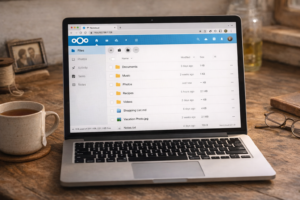
I’m a Nextcloud woman. I like the heft of it. Installing it involves a few commands you copy and paste. It takes about twenty minutes. You watch the text scroll, a digital incantation. And then… you open your web browser. You type http://your-pi's-address and there it is. A clean, white login page. Your login page. You create your admin account. And just like that, you’re in. You have a cloud. The first folder I made was called “Mama.” Then “Garden.” Then “Novellas.”
Step 3: Hardening Your Home (The Afrofuturist Way)
A library needs walls. A future needs protection. Sovereignty isn’t just ownership; it’s security. This part feels like putting good locks on the doors and windows.
You change the default ports so the random internet scanners just see a blank wall. You enable a firewall, telling the computer exactly what traffic is welcome (your devices) and what isn’t (everything else). You install fail2ban—a wonderful little watchdog that bans any IP address that knocks on the door too many times with the wrong key.
You can create an encrypted folder for your most sensitive things. This isn’t about paranoia. It’s about principle. Your cloud is only as free as it is protected. You take these steps not because you’re afraid, but because you respect what you’re building.
Step 4: The Magic Trick – Visiting Your Library From Anywhere
Right now, your cloud works in your house. But what about when you’re at the grocery store and need that recipe? Or visiting your son and want to show him old pictures?
The old, scary way is called “port-forwarding.” It’s like cutting a hole in your firewall and hoping for the best. Don’t do that.
The new, elegant way is a Cloudflare Tunnel. It’s free. You create a Cloudflare account (takes two minutes), and then run a tiny program on your Pi. That program reaches out from your house to Cloudflare and creates a secure, encrypted tunnel. When you go to yourcloud.yourdomain.com, the request goes to Cloudflare, slips through that private tunnel, and arrives safely at your Pi. No holes in your walls. It’s like having a private, invisible road only you can use. I set mine up in an afternoon, and the feeling when I pulled up my own photos on my phone using my cell service… it was a quiet thrill. My library was in my pocket, but its roots were still in my kitchen.
Step 5: Building Your Alexandria
Now comes the life part. The moving in.
You install the Nextcloud app on your phone and tell it to back up your photos. Suddenly, every picture of my mother’s hydrangeas, every screenshot of a bee article, flows into a folder I own. I create a “Research” folder for PDFs about Gee’s Bend quilts and the history of Creole gardening. I start writing my novella drafts directly in the Nextcloud “Text” app. It saves every keystroke, to my server.
This is your archive. Your knowledge system. You can organize it by year, by person, by project. You can share folders with family—a “Family Cloud” for generational memory. You can, if you get adventurous, even install other “apps” on this same little Pi: a media server for your movies, a password manager, or yes, even your own private AI model. It’s a micro-datacenter for your diaspora.
What This Little Green Box Means for Black Futures
This isn’t just a tech project. It’s a posture.
It’s about community-owned infrastructure. It’s about seeing data sovereignty not as a luxury for coders, but as a survival technology for anyone who has a story they don’t want strip-mined. It’s the return of the archive to the hands of the people. That Raspberry Pi, that $80 computer, is a seed. Plant one in every community center, every church basement, every HBCU dorm. A network of micro-libraries, holding our stories, our art, our truth.
We are building futures where our data serves us, not the empire. Where the digital heirlooms we pass down aren’t subject to a company’s terms of service or a billionaire’s whim. We’re building from the kitchen counter out.
Where to Start
Start small. Buy the Pi. Plug it in. Smell that ozone, that old-television smell of something new being born. Follow a guide—there are good ones—but do it with this feeling in your heart: you are not just following instructions. You are laying a cornerstone.
Your first server is the seed of a sovereign ecosystem. It’s a quiet act of faith in a future you hold yourself.
I’d love to hear about it. What’s the first folder you’ll create in your Digital Library of Alexandria? Tell me in the comments. And if you’re feeling brave, next time, I’ll tell you about the next step: how I got a whisper of an AI to run on this same little box, answering my questions without ever leaving my house. But that’s a story for another afternoon. The sun’s getting low, and I need to go check on my real garden. Here’s a blast from the past. This is how we leverage the future for the past.